Check SHA-1 and MD5 Hashes on Your Mac
Learn how to calculate SHA-1 and MD5 hashes on macOS and compare them with the checksums published by the software provider.
SHA hashes are commonly used to verify file integrity. A checksum allows you to determine whether a file was transferred correctly and whether it has been changed or corrupted.
If the checksum you calculate matches the checksum published by the software provider, the file is likely identical to the original file.
SHA-1 and MD5 checksums can also be useful when verifying file transfers between systems or downloading installation media. By comparing the checksum published by the official source with the checksum calculated on your computer, you can confirm that the downloaded file matches the expected version.
Security note: MD5 and SHA-1 are no longer considered suitable for modern cryptographic security applications because practical collision attacks exist. When available, prefer SHA-256 or a stronger algorithm for security-sensitive verification.
On Windows, tools such as HashMyFiles can calculate MD5 and SHA hashes. You can then compare the result with the checksum published by the authorized software source.
On macOS, you can use the built-in Terminal commands without installing additional software.
Calculate an MD5 Hash
Open Terminal and run:
1
md5 <file-path-and-name>
Calculate a SHA-1 Hash
Use the shasum command:
1
shasum <file-path-and-name>
By default, shasum calculates a SHA-1 checksum.
To calculate a SHA-256 checksum instead, use:
1
shasum -a 256 <file-path-and-name>
Using SHA-256 is recommended when the software provider publishes a SHA-256 checksum.
Verify a Debian ISO Image
In this example, I verify a downloaded Debian ISO image and compare its MD5 and SHA-1 checksums with the values published on the Debian website.
Calculate the MD5 Hash
Run the following command:
1
md5 debian-9.13.0-amd64-netinst.iso
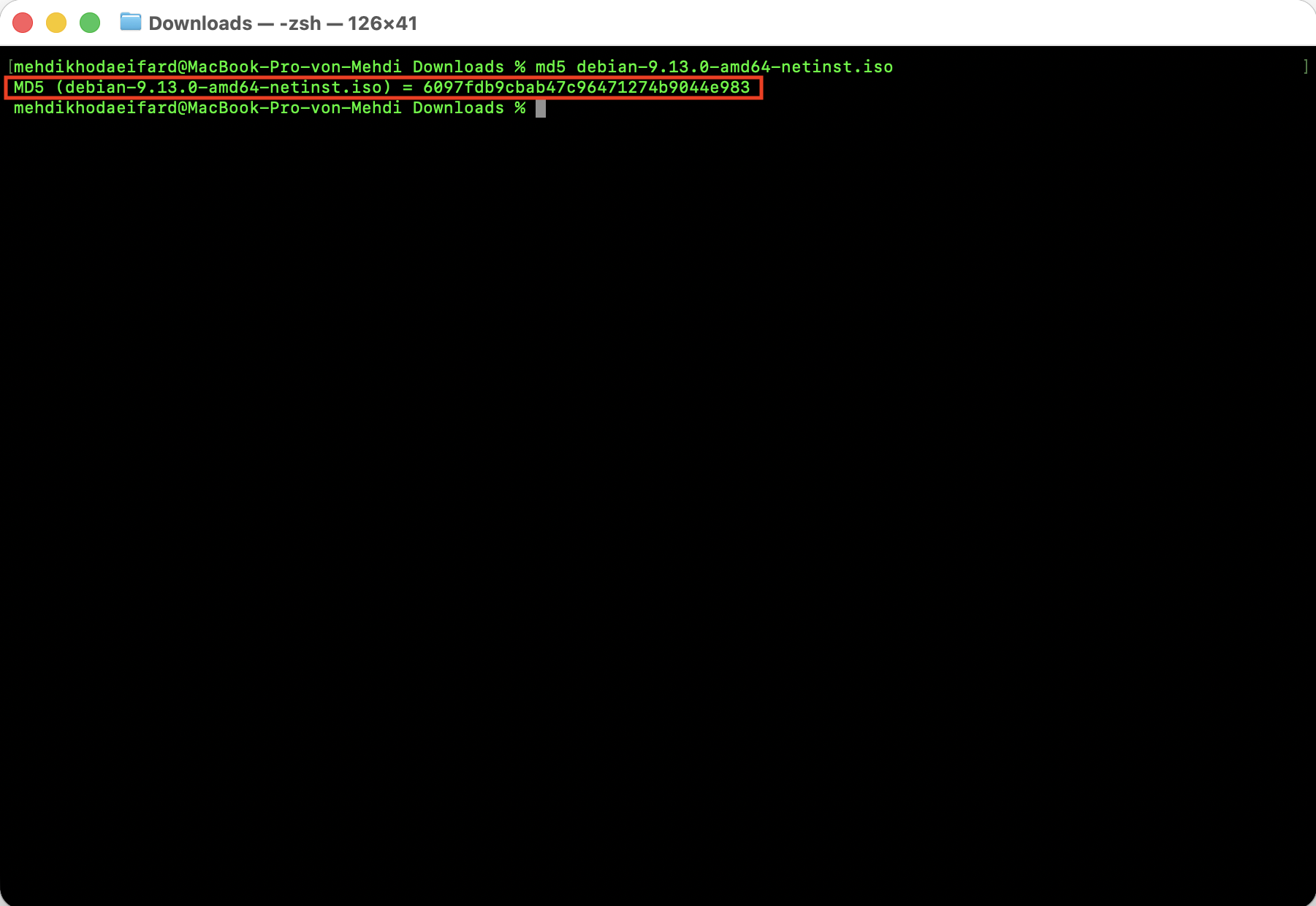 MD5 checksum calculated in Terminal.
Compare the MD5 Hash
Compare the result from Terminal with the official MD5 checksum published by Debian:
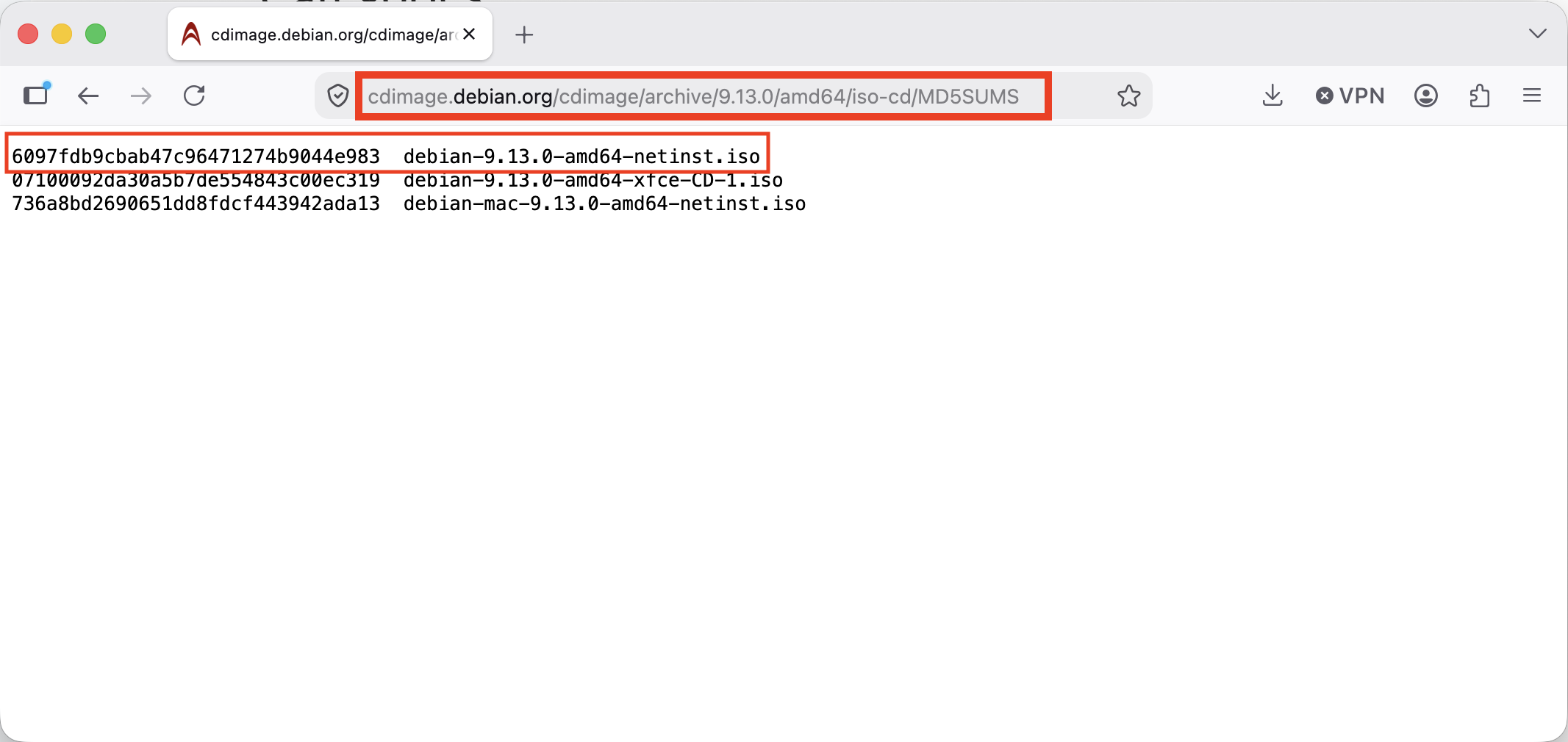 MD5 checksum published on the website.
The two values must match exactly. Even one different character indicates that the checksums are not identical.
Calculate the SHA-1 Hash
Run the following command:
1
shasum debian-9.13.0-amd64-netinst.iso
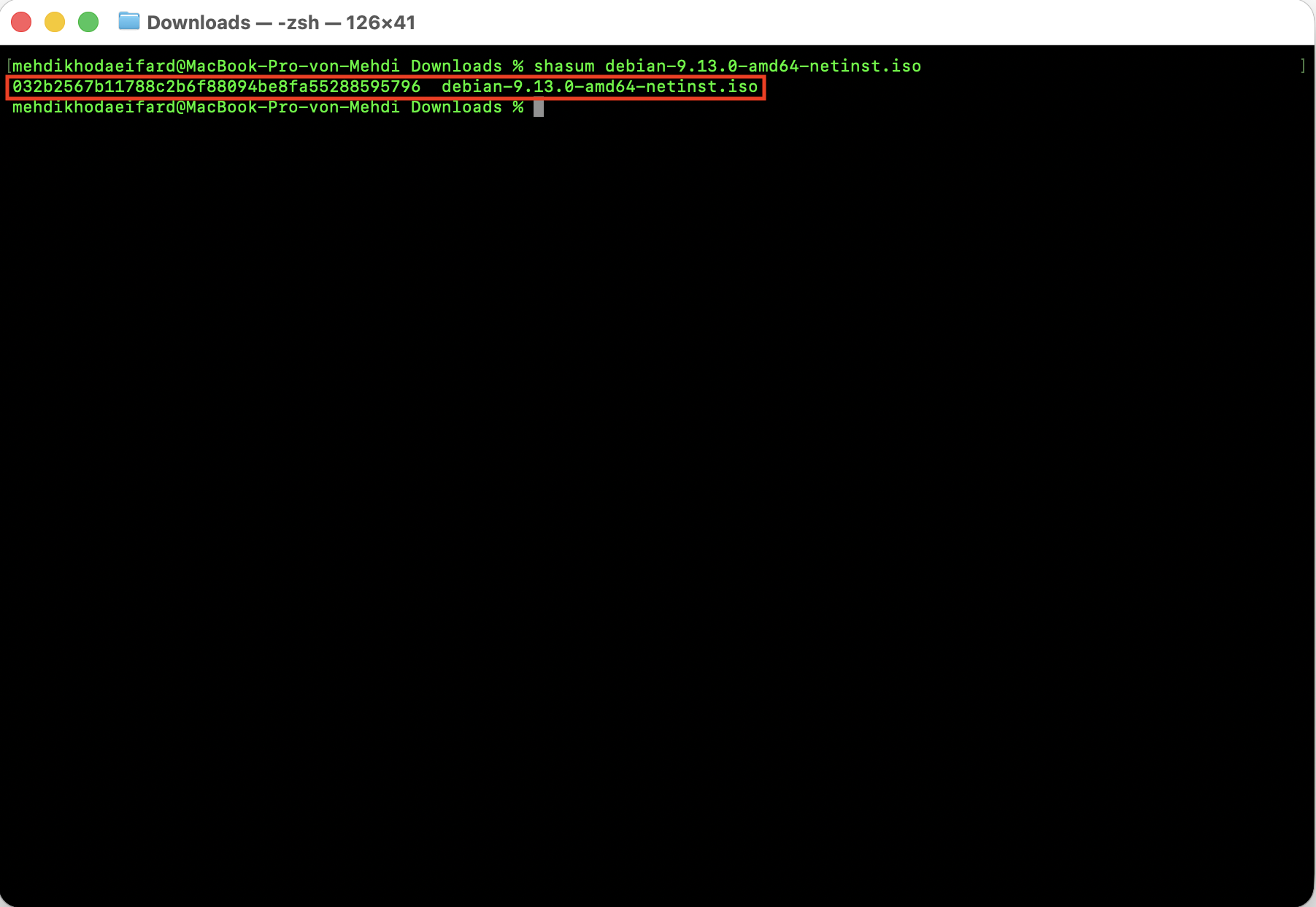 SHA-1 checksum calculated in Terminal.
Compare the SHA-1 Hash
Compare the result with the official SHA-1 checksum published by Debian:
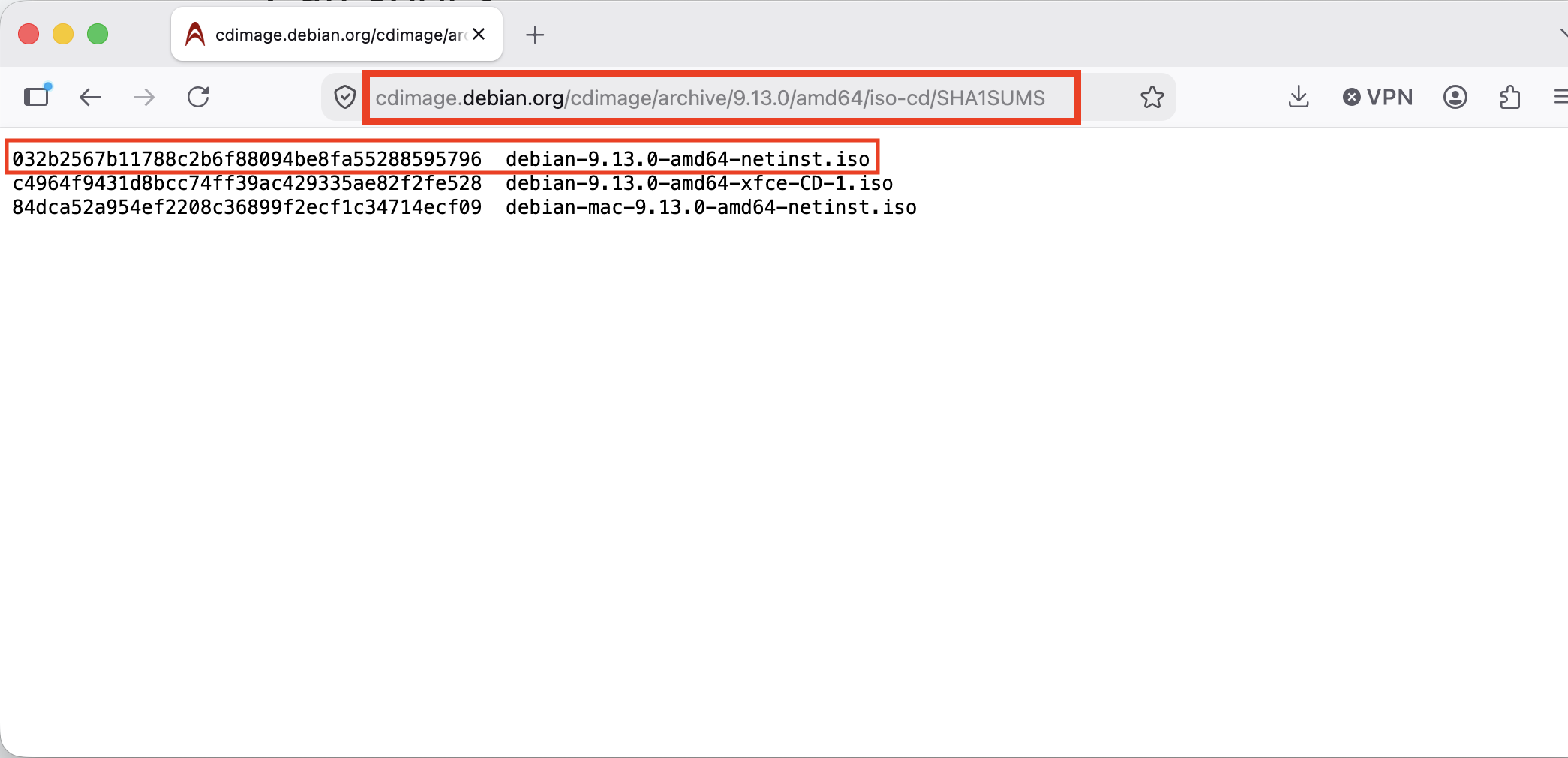 SHA-1 checksum published on the website.
The calculated checksum must match the value provided by the official source.
Verify a SHA-256 Checksum
If the website provides a SHA-256 checksum, calculate it with:
1
shasum -a 256 debian-9.13.0-amd64-netinst.iso
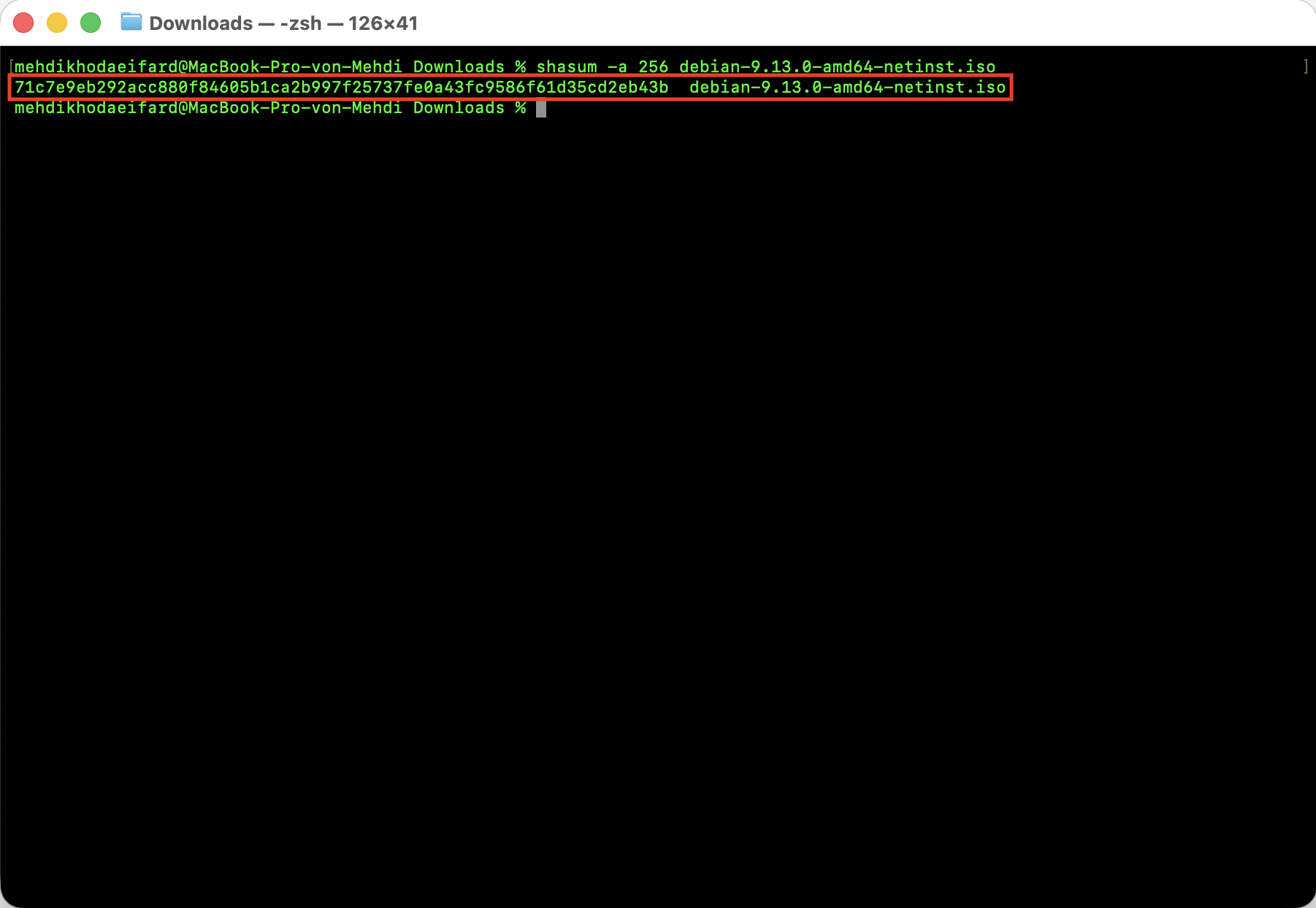 SHA-1 checksum calculated in Terminal.
Compare the result with the official SHA-256 checksum published by Debian:
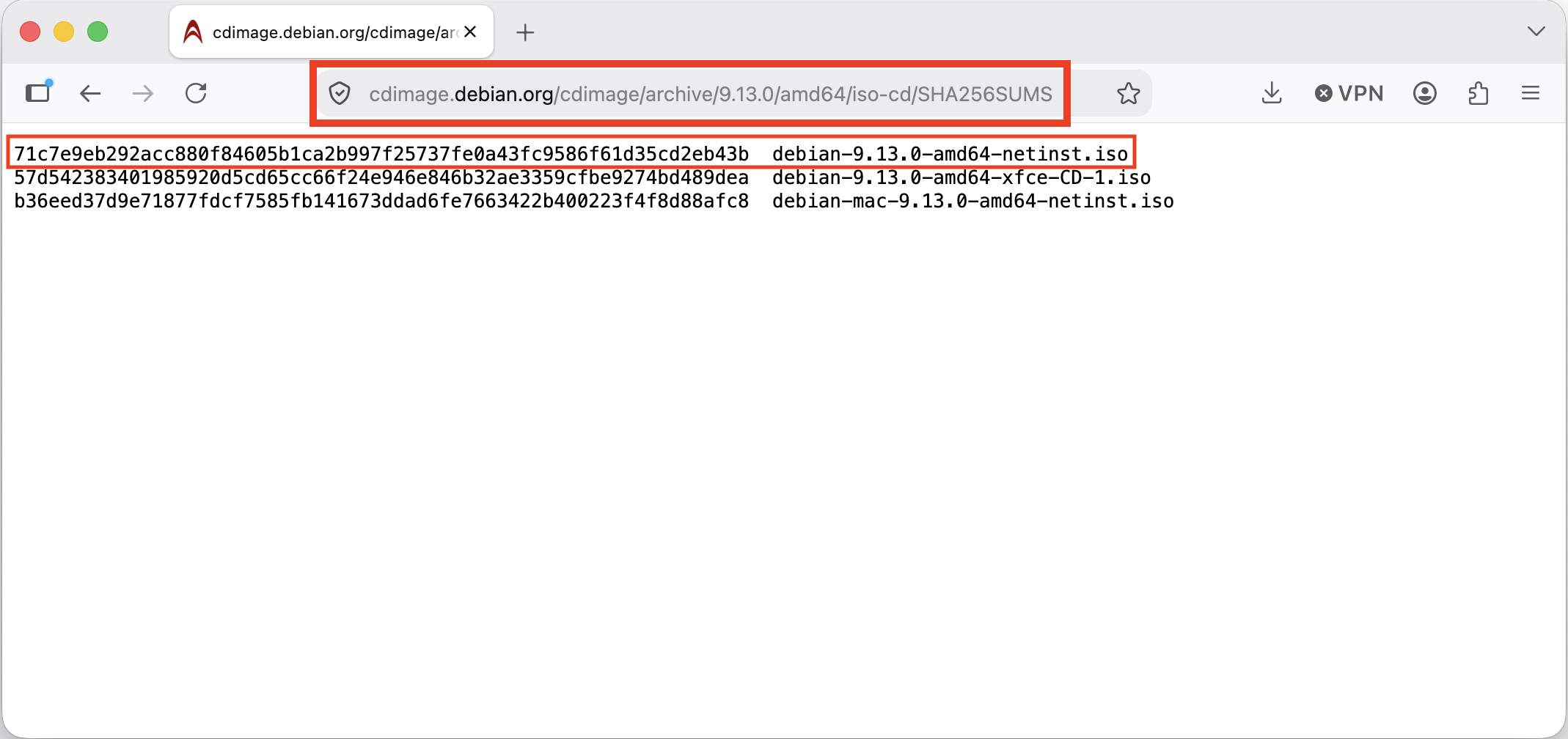 SHA-1 checksum published on the website.
You can also use the native shasum command with other supported algorithms:
1
shasum -a 512 <file-path-and-name>
Always download checksum values from the official project website or another trusted source. Comparing a file with a checksum obtained from an untrusted source does not prove that the file is authentic.