Fortigate - I see only 'Default' Security Profile
Problem:
I have came across this issue years ago but recently due to unit upgrades for our customers Fortigate firewalls i have seen it more often and also asked by customers and colleagues. said why not i just blog it maybe it will be useful for someone else as well.
So the problem is sometimes we do see only the Fortigate Default UTM profile in the FortiOS user interface and the default ones can be assign to firewall policy. we can always modify profiles and assign them to firewall policies using command line but it is convenient if we can see then and edit them in graphical interface.
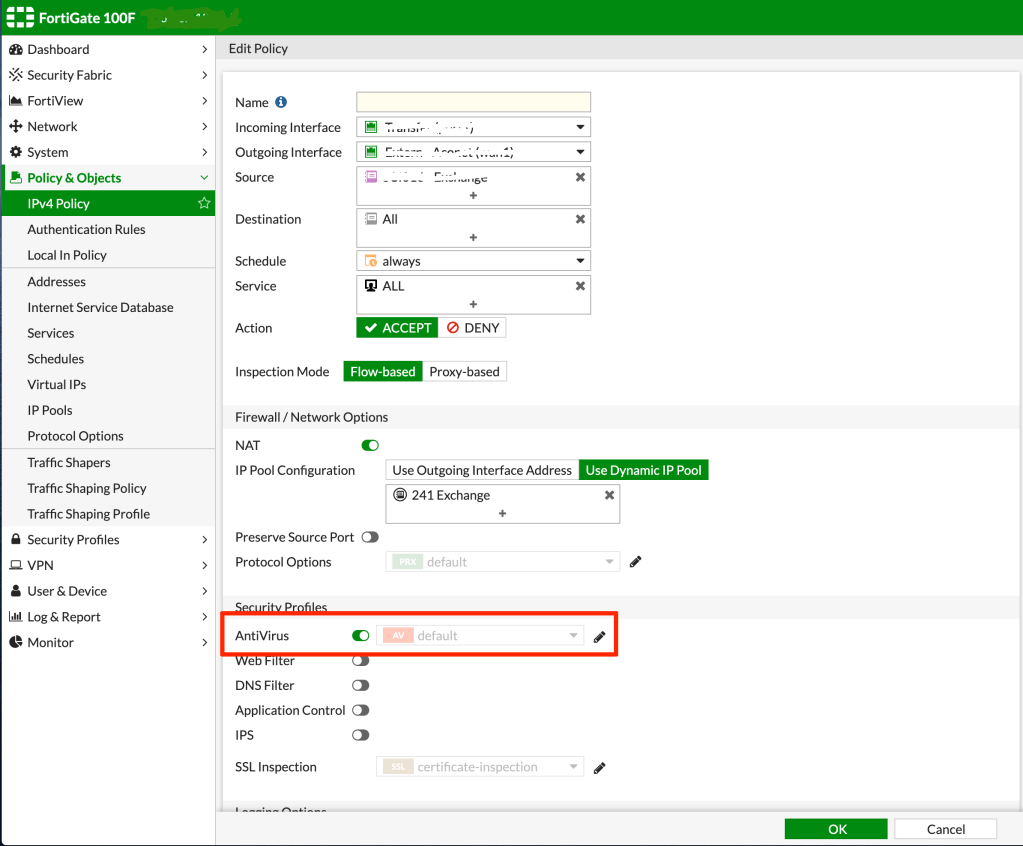
not possible to change the profile
How To Use CLI:
In order to modify security profiles you can use command line as shown below:
AntiVirus Security Profile:
FortiGate-VM64-KVM # config antivirus profile
Web Filter Security Profile:
FortiGate-VM64-KVM # config webfilter profile
DNS Filter Security Profile:
FortiGate-VM64-KVM # config dnsfilter profile
Intrusion Prevention Security Profile:
FortiGate-VM64-KVM # config ips sensor
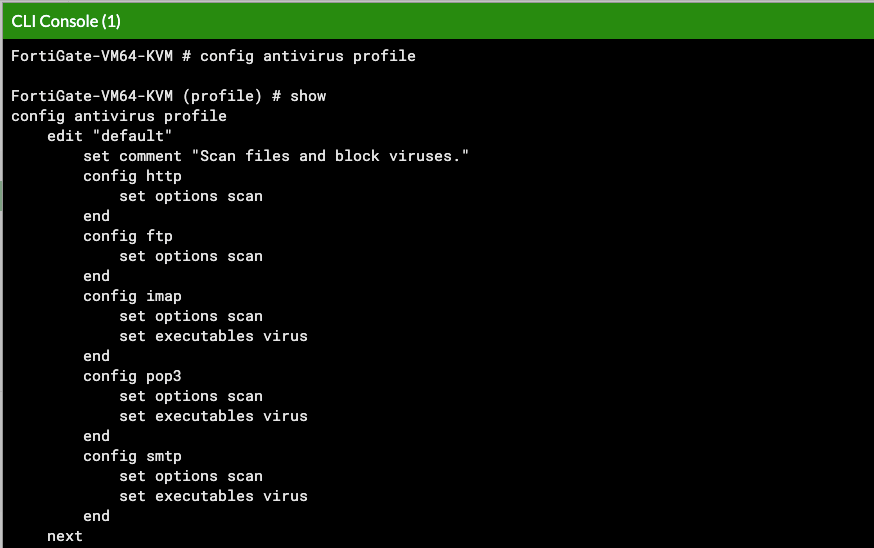
using command line to modify the AV profile
How To Solve:
Going back to original question, how we can solve this issue! well very easy, this is caused by the the default setting of the feature select options. in order to to all the security profiles we need to enable the “Multiple Security Profiles” in the feature options. Go to System > Feature Visibility and activate “Multiple Security Profiles”.
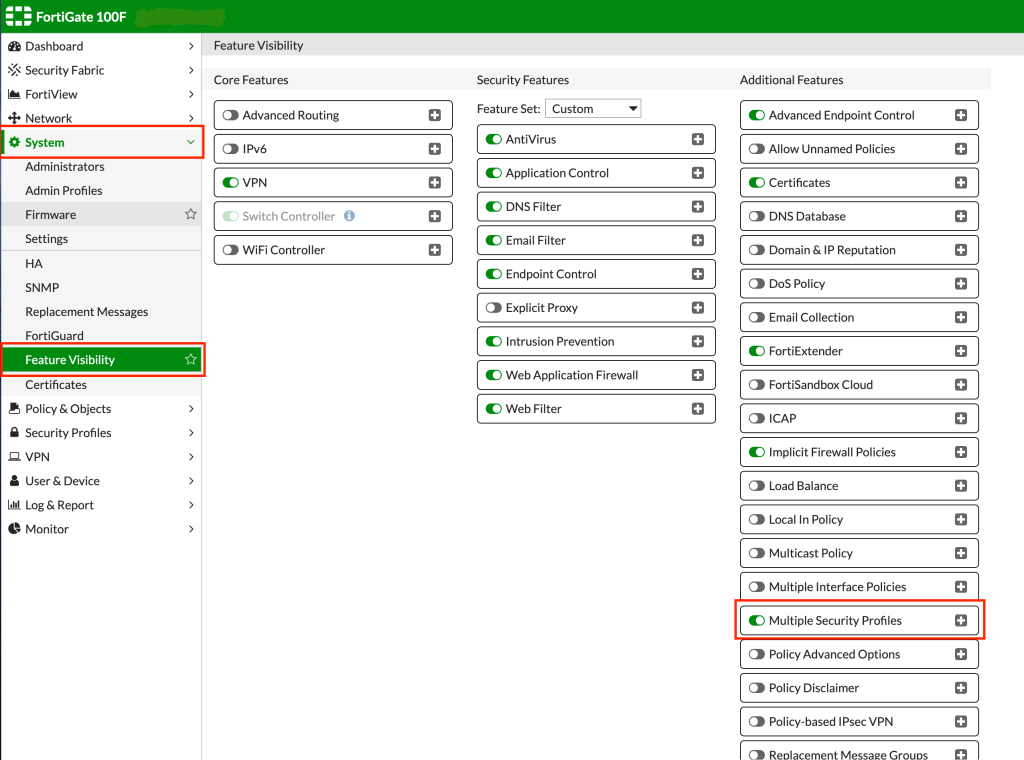
Activate Multiple Security Profile Feature
Now you should be able to see the all security profiles in FortiOS graphical interface.
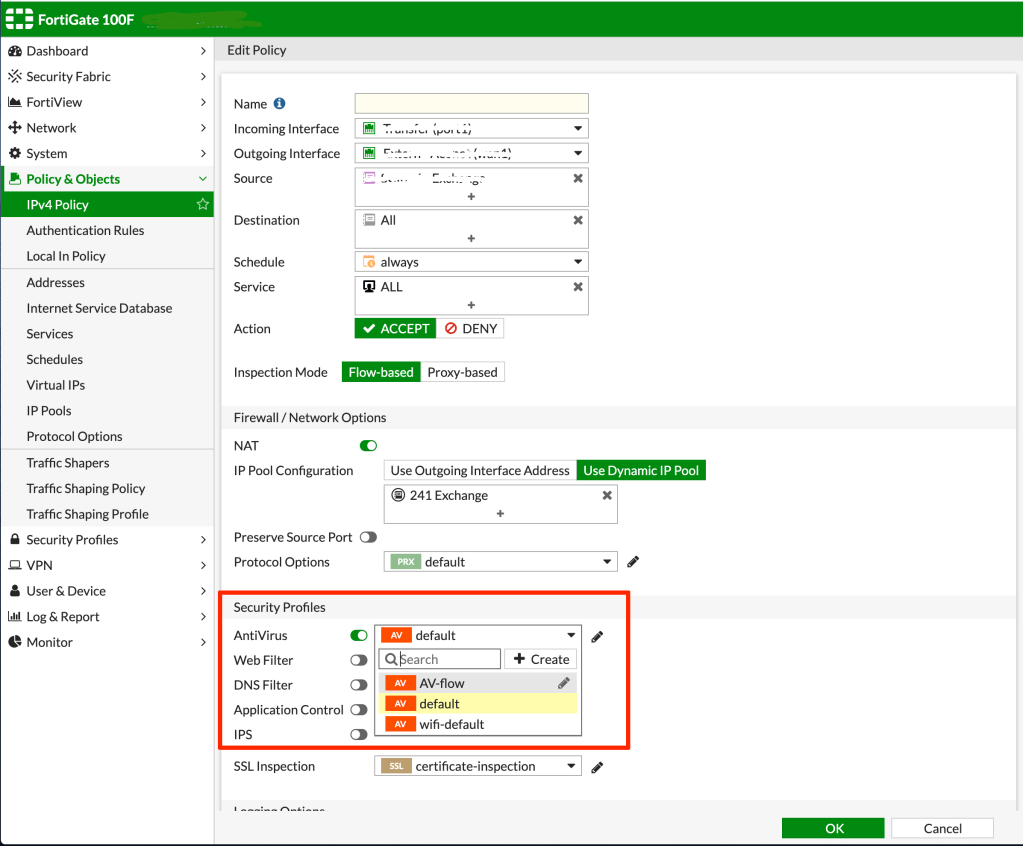
well now you can change the profile
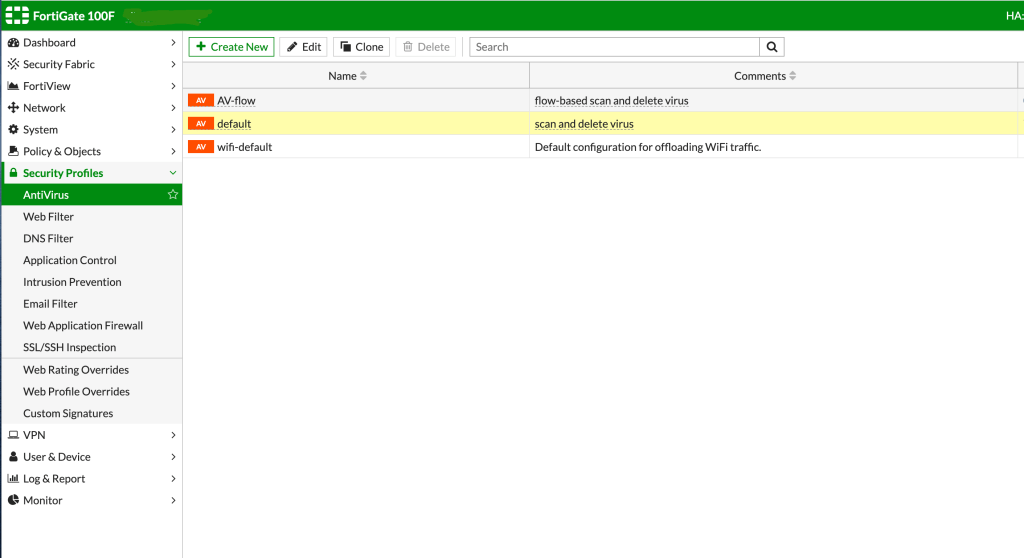
and even edit the profile