Check SHA1 and MD5 Hash on your Mac
SHA hashing is frequently used with distribution control systems to determine revisions and to check data integrity by detecting file corruption or tampering. For common usage, a SHA checksum provides a string that can be used to verify a file been transferred as intended. If SHA checksums match, the files integrity has been maintained.
Using SHA1 hash strings are also an easy way to verify file transfers from peer to peer networks and to make sure a download has finished, or that a file was not tampered with somewhere along the line. By knowing the origin SHA1 checksum, you can verify your version of the file(s) in question matches, and determine if the file is indeed valid and has arrived as intended.
On Windows machines, you can use simple and light tool like HashMyFiles to check MD5 and SHA Hash and compare it with original SHA and MD5 which provided by authorized source to make sure you have the right version of the file and not tampered.
On Mac, we can use integrated tool which is simple and easy. To do so you just need to open terminal on your Mac and use the following commands:
md5 <file path and name>
shasum <file path and name>
For instance, here I try to find out newly downloaded Debian 9.0.0 iso image and just compared it with provided MD5 an SHA1 hash from Debian website.
MD5:

and compare with original MD5:

SHA1:
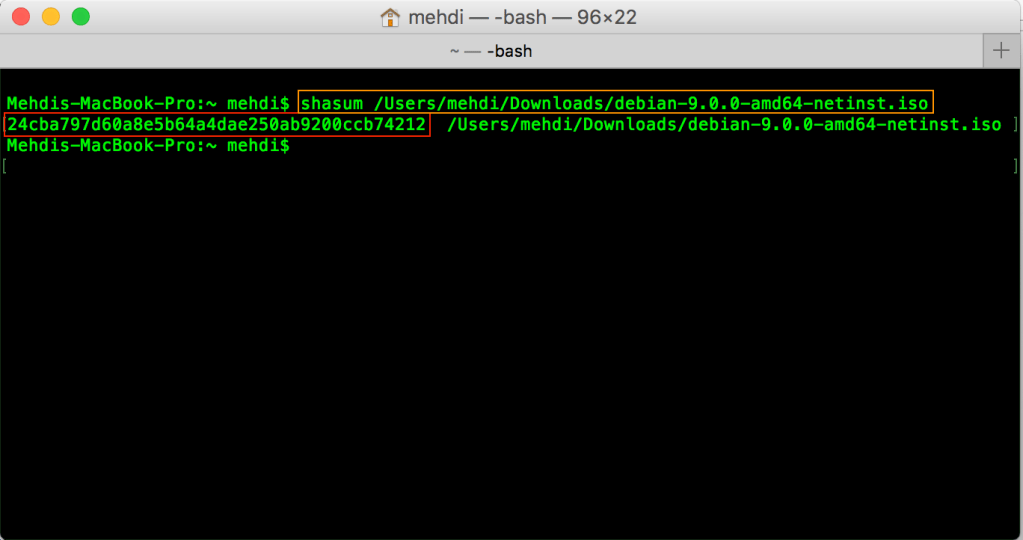
sha1 getting from terminal
and compare with original SHA:
